<?xml version="1.0" encoding="utf-8"?><feed xmlns="http://www.w3.org/2005/Atom" xml:lang="en"><generator uri="https://jekyllrb.com/" version="4.4.1">Jekyll</generator><link href="https://slycrowgames.com/feed.xml" rel="self" type="application/atom+xml" /><link href="https://slycrowgames.com/" rel="alternate" type="text/html" hreflang="en" /><updated>2026-06-19T18:18:06+00:00</updated><id>https://slycrowgames.com/feed.xml</id><title type="html">SlyCrow Games</title><subtitle>SlyCrow Games Studio is an indie game development studio focused on creating unique gaming experiences. Our first game, Sly Crow, is currently in development.</subtitle><entry><title type="html">The Village Demo for Adventure X</title><link href="https://slycrowgames.com/posts/adventure-x-demo-village-slice/" rel="alternate" type="text/html" title="The Village Demo for Adventure X" /><published>2026-06-01T07:00:00+00:00</published><updated>2026-06-01T07:00:00+00:00</updated><id>https://slycrowgames.com/posts/adventure-x-demo-village-slice</id><content type="html" xml:base="https://slycrowgames.com/posts/adventure-x-demo-village-slice/"><![CDATA[<p>Wow, that escalated quickly.</p>

<p>In the <a href="../blacksmith-and-the-forge/">last devlog</a> I was calmly talking about the <strong>Blacksmith</strong> and her <strong>forge</strong>. One character, one scene, a reasonable plan. Very professional. Very naive.</p>

<p>Because the real target was a <strong>playable demo slice for <a href="https://www.adventurexpo.org/" target="_blank">AdventureX</a></strong>, and by May 21 I had to stop endlessly improving things and actually upload a build.</p>

<p>So this time I’ll try to talk mostly about what is inside the demo from the player’s side. And for fellow devs, or anyone who enjoys production pain, I added little <strong>Developer’s Cut</strong> blocks under the sections.</p>

<h3 id="whats-in-the-demo">What’s in the demo</h3>

<p>First of all: it’s not the full game. It’s one slice of the village - enough to meet Zoti, rescue the Goose, poke at a couple of puzzles, and talk to one very busy Blacksmith.</p>

<ul>
  <li>A <strong>main menu</strong> - so it feels like a real game from the first click</li>
  <li><strong>Zoti’s opening</strong> - she wakes up, falls into trouble, and the story begins</li>
  <li><strong>Freeing the Goose</strong> - your sidekick is stuck, and you need to help</li>
  <li>The <strong>well</strong> - a rope puzzle, a bucket, and water to fetch</li>
  <li>The <strong>water tower</strong> - a separate spot entirely: ladders, height, and rotten planks</li>
  <li>A long talk with the <strong>Blacksmith</strong> - errands, opinions, and forge noise</li>
  <li>A <strong>demo end</strong> card - so you know where the slice stops</li>
</ul>

<details>
  <summary><strong>Developer's Cut</strong></summary>
  <p>Originally I thought I would finish the Blacksmith, polish the forge, and move on. What actually happened: most of the work went into Village, plus a new MainMenu scene, a demo-end screen, music, build settings, and a lot of Adventure Creator action lists to make the slice playable from start to finish. Classic.</p>
</details>

<h3 id="main-menu">Main menu</h3>

<p>The build no longer drops you straight into a random Unity scene. It starts with a real main menu: background, logo, main characters and the interactive menu - all the fancy things that say “yes, this is supposed to be a game.”</p>

<iframe class="embed-video" loading="lazy" src="https://www.youtube.com/embed/NDULaO3u0dk" title="YouTube video player" frameborder="0" allow="accelerometer; autoplay; clipboard-write; encrypted-media; gyroscope; picture-in-picture" allowfullscreen=""></iframe>

<details>
  <summary><strong>Developer's Cut</strong></summary>
  <p>This also forced me to finally add an app icon and proper scene flow. The menu got its own scene, its own illustrated assets, play/quit controls, and a build path into the village scene. Tiny polish things, but they matter a lot when you send a build to someone who is not you.</p>
</details>

<h3 id="zotis-opening-and-fall">Zoti’s opening and fall</h3>

<p>Zoti does not enter the demo gracefully. Obviously.</p>

<p>She wakes up in the village - dead again, unreasonably optimistic as always - and almost immediately falls into trouble. I wanted the first seconds to feel like a proper little scene, not just “camera fades in, now click something.”</p>

<iframe class="embed-video" loading="lazy" src="https://www.youtube.com/embed/znkvTCxhWfk" title="YouTube video player" frameborder="0" allow="accelerometer; autoplay; clipboard-write; encrypted-media; gyroscope; picture-in-picture" allowfullscreen=""></iframe>

<details>
  <summary><strong>Developer's Cut</strong></summary>
  <p>Most of the work here was sequencing: disabling player control, running the fall animation, syncing the camera, firing the landing/reaction beat, then returning control without it feeling like the scene just snapped awake. Nothing technically wild, but very easy to make flat if the timing is off by even a little.</p>
</details>

<h3 id="freeing-the-goose">Freeing the Goose</h3>

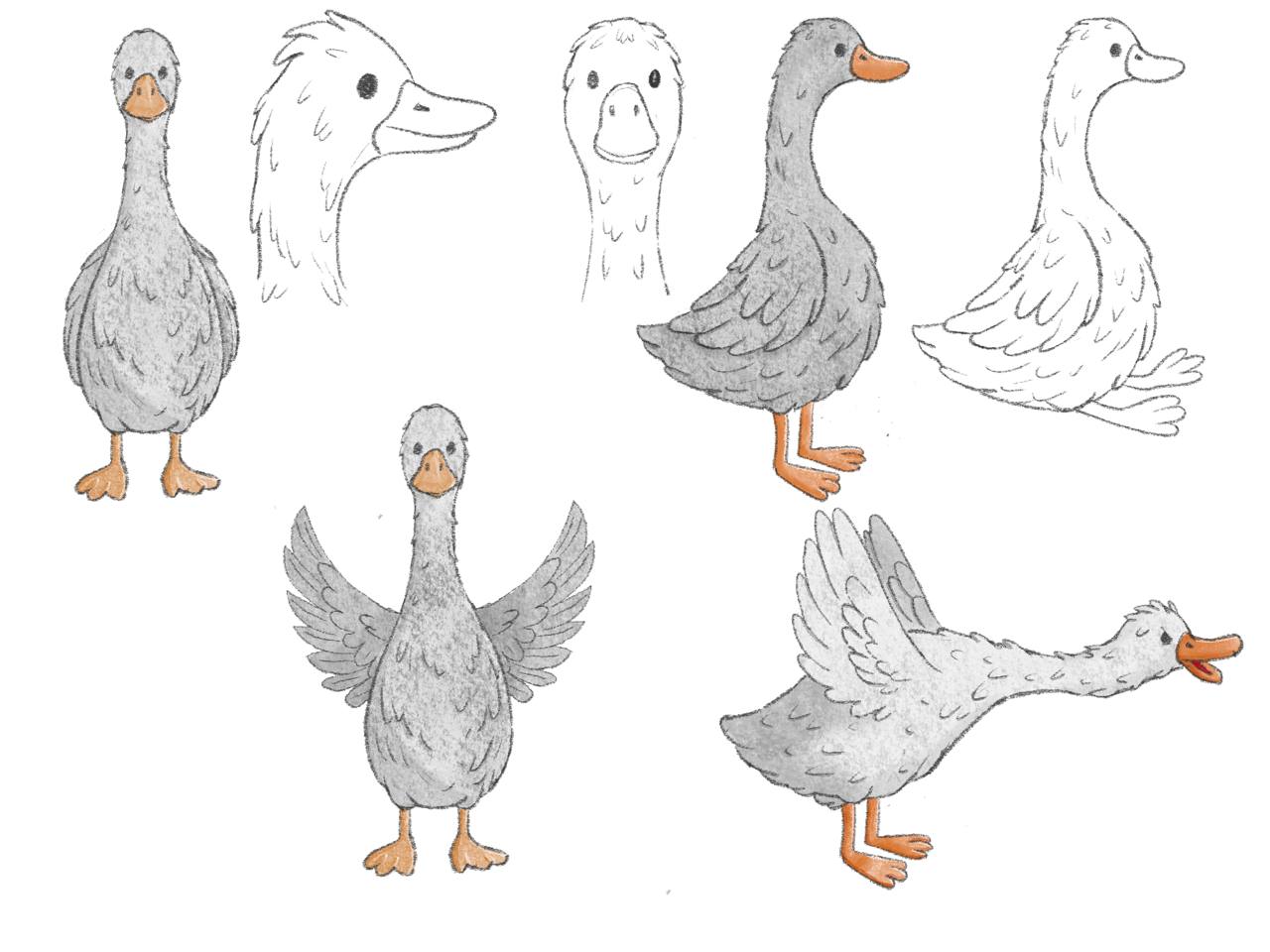
<p>Remember the Goose from <a href="../pipes-goose-and-lip-sync/">earlier devlogs</a>? Honk, Pack, Pick, all that extremely serious gameplay design?</p>

<p>In this demo the Goose starts <strong>stuck</strong>, because apparently even sidekicks need an introduction quest. Before it can help, you need to help it first. Only then do the Goose actions start making sense in the actual flow, not just as funny buttons in a trailer.</p>

<iframe class="embed-video" loading="lazy" src="https://www.youtube.com/embed/uPUaZHxflf4" title="YouTube video player" frameborder="0" allow="accelerometer; autoplay; clipboard-write; encrypted-media; gyroscope; picture-in-picture" allowfullscreen=""></iframe>

<details>
  <summary><strong>Developer's Cut</strong></summary>
  <p>The Goose needed two states: stuck and free. That meant a separate <code>GooseStuck</code> Spine setup, the regular Goose rig, and a custom Adventure Creator action to swap the active skeleton during the scene. Ideally players never think about this. Which, of course, means it took time.</p>
</details>

<h3 id="the-well">The well</h3>

<p>The <strong>well</strong> is the more puzzle-ish part of the slice.</p>

<p>You untangle rope knots, lower the bucket, and finally get water - with the Goose helping once it’s free. I made the first version of this puzzle while working on the <a href="../announcement-trailer-journey-expectations-and-reality/">announcement trailer</a>, but for the demo it had to stop being a prototype and become an actual story beat.</p>

<iframe class="embed-video" loading="lazy" src="https://www.youtube.com/embed/D-fRSYp2OQw" title="YouTube video player" frameborder="0" allow="accelerometer; autoplay; clipboard-write; encrypted-media; gyroscope; picture-in-picture" allowfullscreen=""></iframe>

<iframe class="embed-video" loading="lazy" src="https://www.youtube.com/embed/qs9PF90bvCY" title="YouTube video player" frameborder="0" allow="accelerometer; autoplay; clipboard-write; encrypted-media; gyroscope; picture-in-picture" allowfullscreen=""></iframe>

<details>
  <summary><strong>Developer's Cut</strong></summary>
  <p>The well is actually two different technical beasts. Day-to-day use runs on a separate Spine object - <code>WellMechanism</code> - with its own skeleton and animator, so the crank, bucket, and rope can play without fighting the village background art.</p>
  Before Zoti can actually start using the well, I need to get rid of all NPCs out of a polygon zone in front of the well - otherwise, someone would stand exactly where the overlay needs to be, and the illusion breaks immediately.&lt;/p&gt;
  <p>So: evacuate the crowd, switch to the overlay animation, then go back to the normal well state. Simple from the player's side. Three systems from mine.</p>
</details>

<h3 id="the-water-tower">The water tower</h3>

<p>The <strong>water tower</strong> is its own hotspot: height, rotten planks, and Zoti trying very hard to convince herself that climbing is fine.</p>

<iframe class="embed-video" loading="lazy" src="https://www.youtube.com/embed/lJmnUPagoq4" title="YouTube video player" frameborder="0" allow="accelerometer; autoplay; clipboard-write; encrypted-media; gyroscope; picture-in-picture" allowfullscreen=""></iframe>

<details>

  <summary><strong>Developer's Cut</strong></summary>
  <p>Climbing is mostly Zoti animation work: dedicated <code>ClimbWaterTower</code> / <code>FallWaterTower</code> clips in her 2D controller, triggered from Adventure Creator when you use the tower. Before the climb starts, an action switches her footstep ground type.</p>
  <p>The scary planks are physics objects: each has a <code>HingeJoint2D</code> anchored on a nail point and a <code>Rigidbody2D</code>, so broken boards actually swing instead of just wobbling in a fake animation. When a plank is supposed to give way, a small <code>PlankDrop</code> script flips it from kinematic to dynamic and lets gravity finish the job.</p>
  <p>There's also a dedicated <code>WaterTowerCamera</code> for the climb view, plus the usual pile of fail/success dialogue branches when Zoti chickens out or falls. Visually simple. Technically three systems holding hands.</p>
</details>

<h3 id="the-blacksmith">The Blacksmith</h3>

<p>The Blacksmith from the <a href="../blacksmith-and-the-forge/">last devlog</a> became the anchor of the whole slice.</p>

<p>She is not just hammering in the background anymore. She talks, sends you on errands, reacts to your very questionable plans, and generally behaves like the only responsible adult in the area. Which is impressive, considering she’s a zombie.</p>

<p>Her forge is a real place now too: fire, bangs, bucket drops, and plenty of things to poke at.</p>

<p>Green skin, silver ponytail, leather apron - and a lot of opinions about your choices. She is basically running the village’s to-do list, whether Zoti asked for one or not.</p>

<iframe class="embed-video" loading="lazy" src="https://www.youtube.com/embed/8Lqy6J-4wdg" title="YouTube video player" frameborder="0" allow="accelerometer; autoplay; clipboard-write; encrypted-media; gyroscope; picture-in-picture" allowfullscreen=""></iframe>

<details>
  <summary><strong>Developer's Cut</strong></summary>
  <p>The trailer had a handful of voiced lines. The demo has around <strong>seventy-five</strong>, many with <code>VILLAGE_*</code> IDs. At that point manual naming becomes a trap, so I made editor tools to export Adventure Creator speech lines without IDs to CSV, fix them in a spreadsheet, and apply them back. Then each line needs localization CSV data, VO files, and Rhubarb lip-sync JSON to resolve correctly at runtime. Before: chaos. After: exportable chaos.</p>
  

  <iframe class="embed-video" loading="lazy" src="https://www.youtube.com/embed/Oulc3d0z7zY" title="YouTube video player" frameborder="0" allow="accelerometer; autoplay; clipboard-write; encrypted-media; gyroscope; picture-in-picture" allowfullscreen=""></iframe>


</details>

<h3 id="where-the-demo-ends">Where the demo ends</h3>

<p>When the slice is over, it actually ends. Revolutionary, I know.</p>

<p>There is a clear <strong>demo end</strong> card instead of a sudden drop into unfinished content. Village music carries through, so the whole thing should feel like a small opening chapter rather than a scene that simply ran out of road.</p>

<p><img src="../assets/img/slycrow/devlogs/9/demo-end.png" alt="Demo End" width="300px" /></p>

<details>
  <summary><strong>Developer's Cut</strong></summary>
  <p>This is the boring edge of demo work: music in the right scene, build profile, main-menu-to-village flow, end card trigger, and making sure the player cannot accidentally walk into unfinished content. I also added a small profiler capture dump utility near the end, because deadline builds are when Unity suddenly decides to make you ask questions about frame time.</p>
</details>

<h3 id="submitted---and-two-weeks-after">Submitted - and two weeks after</h3>

<p>May 21: the build went up for AdventureX. I posted <em>“I made it… 😮‍💨 Now - only hope and patience 🤞”</em> and then mostly stared into space for a while.</p>

<p>Not everything after that felt like relief. Steam quietly removed a batch of wishlists - normal churn, but it still stung. And anyway, a week after that, I finally beat the 100-wishlists milestone, which is HUGE!</p>

<p>Then a small bright spot appeared: the first article about <strong>Sly Crow</strong> went up on <a href="https://adventuregamehotspot.com/announcement/6363/sly-crow-soars-into-production-for-windows-and-mac" target="_blank">Adventure Game Hotspot</a>. The universe has a sense of balance, I guess.</p>

<details>
  <summary><strong>Developer's Cut</strong></summary>
  <p>Yes, I upgraded the entire Spine runtime to 4.3 during deadline week. Every character, the Blacksmith, Goose, Zoti, the well mechanism, the water tower assets - re-exported, scripts poked, panic managed. A few integrations needed small compatibility fixes, including a <code>SpineLegacyExtensions</code> helper. Probably the right long-term call. In the moment? Questionable life choice.</p>
</details>

<h3 id="whats-next-for-you">What’s next (for you)</h3>

<p>I’m still aiming for a <strong>public demo</strong> more people can try - hopefully by autumn. AdventureX feedback will probably decide what catches fire first.</p>

<p>If you want to follow along or support the project early, wishlists still help a lot. Even after Steam eats some of them. =)</p>

<p><a href="https://store.steampowered.com/app/4160330/Sly_Crow/" target="_blank">Wishlist Sly Crow on Steam</a></p>

<p>Thank you for being with me, and stay tuned!</p>]]></content><author><name>Vladimir Filonov</name></author><category term="Development" /><category term="Sly Crow" /><summary type="html"><![CDATA[Wow, that escalated quickly.]]></summary></entry><entry><title type="html">The Blacksmith and Her Forge</title><link href="https://slycrowgames.com/posts/blacksmith-and-the-forge/" rel="alternate" type="text/html" title="The Blacksmith and Her Forge" /><published>2026-04-21T07:00:00+00:00</published><updated>2026-04-21T07:00:00+00:00</updated><id>https://slycrowgames.com/posts/blacksmith-and-the-forge</id><content type="html" xml:base="https://slycrowgames.com/posts/blacksmith-and-the-forge/"><![CDATA[<p>After publishing the Steam page, I’ve switched to working on a <strong>Demo for the <a href="https://www.adventurexpo.org/">AdventureX</a> conference</strong>. I already have the more-or-less complete write-up for it, so now I need to implement all the required characters and scenes.</p>

<p>I decided to start from the <strong>Blacksmith</strong> because I had quite a clear vision of the character and environment. Oh, and small side note before we start: wishlists quietly crossed <strong>50</strong> last week. Tiny in Steam terms, I know - but still a nice little milestone. Thank you!</p>

<h3 id="the-blacksmith">The Blacksmith</h3>

<p>It all started from scratch - a few scribbles, a lot of erasing.</p>

<div style="display:flex;align-items:center;gap:1rem">
  <img src="../assets/img/slycrow/devlogs/8/blacksmith-sketch.jpg" alt="Blacksmith Sketch" style="width:300px;flex-shrink:0" />
  <p>I wanted someone strong, powerful, and obviously hammer-for-a-living - broad shoulders, heavy boots, a proper tool belt. And since this is a zombies village, she's a zombie too - just a bit more muscle and a bit less decay than the others.</p>
</div>

<p>It looked quite promising, so I proceeded and got the concept version:</p>

<p><img src="../assets/img/slycrow/devlogs/8/blacksmith-concept.png" alt="Blacksmith Concept" width="400px" /></p>

<p>Green skin, silver ponytail, leather apron, a red-hot piece of iron in the tongs. I was pretty happy with how she turned out.</p>

<h3 id="the-animation-detour">The animation detour</h3>

<p>And here I ran into some trouble with the animation. This is a fairly minor character, so I didn’t want to spend too much time on its animation. But the pose I originally picked - an almost <strong>frontal</strong> one - required quite a lot of extra intermediate keyframes with a different layout.</p>

<div style="display:flex;align-items:center;gap:1rem">
  <img src="../assets/img/slycrow/devlogs/8/blacksmith-compare.png" alt="Blacksmith Frontal" style="width:250px;flex-shrink:0" />
  <p>The thing is, using such a viewpoint requires making her hand sometimes <em>behind</em> the body, and at the "smash" point, <em>in front</em> of it. And the visible part of the hammer is changing a lot.</p>
</div>

<p>After some experiments, I decided to change the position and use <strong>3/4</strong>, to keep her hand always behind the body.</p>

<p><img src="../assets/img/slycrow/devlogs/8/blacksmith-frontal.png" alt="Blacksmith 3/4" width="300px" /></p>

<p>And the trick worked! Of course, a lot more animations and poses are still ahead, but the idle is ready.</p>

<iframe class="embed-video" loading="lazy" src="https://www.youtube.com/embed/tHs_YidR8Co" title="YouTube video player" frameborder="0" allow="accelerometer; autoplay; clipboard-write; encrypted-media; gyroscope; picture-in-picture" allowfullscreen=""></iframe>

<h3 id="the-forge">The Forge</h3>

<p>In parallel with the character, I started blocking out her <strong>forge</strong> - the scene where the player will actually meet her in the demo.</p>

<p>The first pass was very drafty - almost pure line-art, with the character dropped in just to check scale and composition:</p>

<p><img src="../assets/img/slycrow/devlogs/8/forge-sketch.jpg" alt="Forge Sketch" /></p>

<p>The goal at this stage is not to make it look pretty - it’s to plan items’ placement and leave enough space for character navigation. Boring but necessary stuff - I already learned once that <a href="../how-my-village-fell-apart/">pretty mockups aren’t the same as playable scenes</a>.</p>

<p>A couple of days later, with colors roughed in and the background filled out, it started to feel like a real place:</p>

<iframe class="embed-video" loading="lazy" src="https://www.youtube.com/embed/8Lqy6J-4wdg" title="YouTube video player" frameborder="0" allow="accelerometer; autoplay; clipboard-write; encrypted-media; gyroscope; picture-in-picture" allowfullscreen=""></iframe>

<p>Step by step, the forge becomes a real scene. Of course, a ton of details are still ahead, but the skeleton is there and it’s navigable.</p>

<h3 id="whats-next">What’s Next</h3>

<ol>
  <li><strong>Finish the Blacksmith’s remaining animations</strong> - resting, talking, a couple of reactions</li>
  <li><strong>Polish the forge scene</strong> - from coloured sketch to shippable art, plus hotspots and navigation</li>
  <li><strong>Move on to the next villager</strong> - I won’t spoil who, but the write-up has them ready</li>
  <li><strong>Keep AdventureX in sight</strong> - that’s the deadline driving all of this</li>
</ol>

<p>Thank you for being with me, and stay tuned!</p>

<p><a href="https://store.steampowered.com/app/4160330/Sly_Crow/" target="_blank">Wishlist Sly Crow on Steam</a></p>]]></content><author><name>Vladimir Filonov</name></author><category term="Development" /><category term="Sly Crow" /><summary type="html"><![CDATA[After publishing the Steam page, I’ve switched to working on a Demo for the AdventureX conference. I already have the more-or-less complete write-up for it, so now I need to implement all the required characters and scenes.]]></summary></entry><entry><title type="html">Trailer’s out, Steam page is live</title><link href="https://slycrowgames.com/posts/announcement-trailer-and-steam-page/" rel="alternate" type="text/html" title="Trailer’s out, Steam page is live" /><published>2026-04-03T07:00:00+00:00</published><updated>2026-04-03T07:00:00+00:00</updated><id>https://slycrowgames.com/posts/announcement-trailer-and-steam-page</id><content type="html" xml:base="https://slycrowgames.com/posts/announcement-trailer-and-steam-page/"><![CDATA[<p>If you read the last devlog, you already know the situation: the <strong>trailer</strong> was the last big thing standing between me and the <strong>Steam page</strong>. Now both are finally done.</p>

<p>The <strong>announcement trailer</strong> is out - complete with gameplay, mood, and plenty of goose nonsense. The <strong>sound design</strong> finally caught up too: everything got recorded, cut, and stitched together. For the first time, it actually feels like a real version of the game I’ve been carrying around in my head all this time.</p>

<iframe class="embed-video" loading="lazy" src="https://www.youtube.com/embed/DqnECX-Smt4" title="YouTube video player" frameborder="0" allow="accelerometer; autoplay; clipboard-write; encrypted-media; gyroscope; picture-in-picture" allowfullscreen=""></iframe>

<p>Right after that, the <strong>Steam</strong> store page went live. It’s collecting wishlists now - for real, not in that theoretical “once I finally make the trailer” way. In the <strong>first two days</strong>, the page got <strong>22 wishlists</strong>. In Steam terms, that’s tiny, obviously - but when you’re making this thing mostly on your own, seeing those first numbers appear is a pretty wild feeling. So thank you to everyone who clicked that button early.</p>

<h3 id="capsule-work">Capsule work</h3>

<div style="display:flex;align-items:center;gap:1rem">
  <img src="../assets/img/slycrow/devlogs/7/steamcapsule.com.jpg" alt="Zoti Emotions" style="width:250px;flex-shrink:0" />
  <p>While wrestling with the capsule art, I also spent some time with <a href="https://www.steamcapsule.com/" target="_blank">SteamCapsule</a>, and honestly, it was a lifesaver. It gave me a much better sense of what actually works on a Steam page versus what only looks nice in isolation. Promo art is very much its own weird little craft, and I realized pretty quickly that a nice drawing does not automatically make for a clickable capsule.
  </p>
</div>

<p>Huge thanks to the people who made that tool - it feels very indie-friendly, which I deeply appreciate as a person currently trying to learn twenty jobs at once.</p>

<p><a href="https://store.steampowered.com/app/4160330/Sly_Crow/" target="_blank">Wishlist Sly Crow on Steam</a></p>]]></content><author><name>Vladimir Filonov</name></author><category term="Development" /><category term="Sly Crow" /><summary type="html"><![CDATA[If you read the last devlog, you already know the situation: the trailer was the last big thing standing between me and the Steam page. Now both are finally done.]]></summary></entry><entry><title type="html">Pipes, Goose, and Lip Sync</title><link href="https://slycrowgames.com/posts/pipes-goose-and-lip-sync/" rel="alternate" type="text/html" title="Pipes, Goose, and Lip Sync" /><published>2026-02-26T07:00:00+00:00</published><updated>2026-02-26T07:00:00+00:00</updated><id>https://slycrowgames.com/posts/pipes-goose-and-lip-sync</id><content type="html" xml:base="https://slycrowgames.com/posts/pipes-goose-and-lip-sync/"><![CDATA[<p>Wow, almost two month past sinse last update… If you remember, last time I ended with a very specific to-do list: update the UI, add more gameplay, build the steam train puzzle, and — most importantly — actually finish the trailer. So, how did it go?</p>

<p>Well, the trailer still isn’t done. But this time I don’t feel guilty about it, because what I’ve built instead is real gameplay.</p>

<h3 id="the-steam-pipe-puzzle">The Steam Pipe Puzzle</h3>

<div style="display:flex;align-items:center;gap:1rem">
  <div>
    <p>Last devlog I said: "I think it will be a steam train repair puzzle. Pipes and steam!" — and that's exactly what happened. This turned out to be the biggest single feature I've built so far.</p>
    <p>The idea is simple: the train's steam engine is broken, and you need to connect the boiler to the consumers by rotating hexagonal pipes on a grid. Think of it as a hexapipes puzzle, but with actual steam flowing through once you get it right.</p>
  </div>
  <img src="../assets/img/slycrow/devlogs/6/steam-puzzle-screenshot.jpg" alt="Pipe Puzzle Draft" style="width:250px;flex-shrink:0" />
</div>

<hr />

<p>What started as “just a little puzzle” quickly grew into something much more ambitious. The grid is procedurally generated, so each playthrough gives you a different layout. There are 21 different pipe types — straights, corners of various angles, T-junctions, Y-shapes, crossings, and some exotic ones like “BirdLeg” and “Crab” - don’t ask 😅.</p>

<p>The best part is the steam propagation. Once you connect the paths correctly, steam actually flows from the boilers through the pipes, with animated visual effects — color, speed, trembling. There’s even a barometer on each consumer that fills up as steam reaches it. It feels really satisfying when everything clicks into place and steam starts rushing through. At least for me.</p>

<iframe class="embed-video" loading="lazy" src="https://www.youtube.com/embed/cmdGCfxBjp8" title="YouTube video player" frameborder="0" allow="accelerometer; autoplay; clipboard-write; encrypted-media; gyroscope; picture-in-picture" allowfullscreen=""></iframe>

<p>Oh, and the puzzle supports multiple boilers, meaning you might need to route several independent paths simultaneously. That alone bumped the difficulty and replayability up quite a bit. I’m still not sure about final balance of difficulty for the game - playtests should help here.</p>

<h3 id="inventory-glow-up">Inventory Glow-Up</h3>

<p>One thing that always bugged me was how items just… appeared in the inventory. No fanfare, no feedback. After years in software development I learned an important thing about any UI - it must be responsive!</p>

<p>So I built a pickup FX system: when Zoti picks up an object, it flies from the world into the inventory slot with a smooth animation. And on top of that, Sly Crow now has item combinations - drag one item onto another to try combining them. If it works, you get a nice VFX and a new item. If it doesn’t — well, you get a different VFX that basically says “nope, try something else.”</p>

<table>
  <thead>
    <tr>
      <th>Pickup</th>
      <th>Combine</th>
    </tr>
  </thead>
  <tbody>
    <tr>
      <td><img src="../assets/img/slycrow/devlogs/6/pickup-fx.gif" alt="Pickup FX" /></td>
      <td><img src="../assets/img/slycrow/devlogs/6/combine-items.gif" alt="Combine Items" /></td>
    </tr>
  </tbody>
</table>

<h3 id="zoti-gets-more-alive">Zoti Gets More Alive</h3>

<div style="display:flex;align-items:center;gap:1rem">
  <img src="../assets/img/slycrow/devlogs/6/zoti-emotions.gif" alt="Zoti Emotions" style="width:150px;flex-shrink:0" />
  <p>Zoti keeps getting better. Remember the emotion overlay system from the last devlog? I extended it further. Now I can layer any emotion on top of any animation from the action list. Sad while walking, surprised while idle, crying while talking — Spine's track system handles it all.</p>
</div>

<h3 id="enter-the-goose">Enter the Goose</h3>

<p>Remember the Goose? The sidekick that’s been hanging around since the early devlogs? Well, it finally got promoted from a background decoration to a real, interactive character.</p>

<iframe class="embed-video" loading="lazy" src="https://www.youtube.com/embed/__MnGcQ3zPc" title="YouTube video player" frameborder="0" allow="accelerometer; autoplay; clipboard-write; encrypted-media; gyroscope; picture-in-picture" allowfullscreen=""></iframe>

<p>The Goose now has its own Spine skeleton, animation controller, and - most importantly - its own action UI with three commands: Honk, Pack, and Pick. Each one triggers different interactions with the world. Need to distract someone? Honk or Pack. Need to grab a small item? Pick. Objects held by characters follow bone positions properly, so the Goose can actually carry things in its beak.</p>

<p>Building the Goose also pushed me to create a proper NPC system. Characters can now wander (targeted or randomly) around their area, so the world doesn’t feel static when the player isn’t doing anything.</p>

<p>Oh, and I added a Zombie Chicken to the village. Because why not.</p>

<h3 id="zoti-speaks-for-real-this-time">Zoti Speaks (for real this time)</h3>

<p>This is something I’ve been wondering about for a long time - Sly Crow now has a lip sync system!</p>

<iframe class="embed-video" loading="lazy" src="https://www.youtube.com/embed/Oulc3d0z7zY" title="YouTube video player" frameborder="0" allow="accelerometer; autoplay; clipboard-write; encrypted-media; gyroscope; picture-in-picture" allowfullscreen=""></iframe>

<p>To make it work I use <a href="https://github.com/DanielSWolf/rhubarb-lip-sync">Rhubarb Lip Sync</a> to generate phoneme timing data, and custom integration with Spine to switch mouth animations in real time.</p>

<div style="display:flex;align-items:center;gap:1rem">
  <p>It hooks into Adventure Creator's speech system, so setting up a voiced line is as simple as adding speech ID to dialog line. Lip sync data and localization are resolved automatically. It also supports multiple languages - each locale can have its own voice-over files and lip sync data.</p>
  <img src="../assets/img/slycrow/devlogs/6/ac-speech-action.png" alt="AC Speech Action" style="width:200px;flex-shrink:0" />
</div>

<p>After some time of manually adding voice-overs in trailer scene, I got tired - manual part of the pipeline is quite annoying - running Rhubarb on every audio file, naming the output, placing it in the right folder… that got boring fast. So I built an automation tool right inside the Unity editor. Now, when I import a new voice-over file, the lip sync data is generated automatically - Rhubarb runs in the background, the JSON lands in the right place, and the dialogue CSV stays in sync. There’s also a batch mode for processing multiple files at once, which saved me a ton of time when I recorded a bunch of trailer lines in one session.</p>

<h3 id="hotspot-highlighting">Hotspot Highlighting</h3>

<p>One thing that was really missing from the game was visual feedback for interactive objects. In modern point-and-click adventures, you usually have some way to tell what you can interact with - otherwise the player is just pixel-hunting across the screen.</p>

<p>So I built a hotspot highlighting system. Now the player can easily highlight all interactive items! I tried to make it not obnoxious - just enough to say “hey, you can do something here.”</p>

<iframe class="embed-video" loading="lazy" src="https://www.youtube.com/embed/iSdiJg2FjMk" title="YouTube video player" frameborder="0" allow="accelerometer; autoplay; clipboard-write; encrypted-media; gyroscope; picture-in-picture" allowfullscreen=""></iframe>

<h3 id="trailer-progress">Trailer Progress</h3>

<p>All of this work goes straight into the trailer. All scenes now have finalized assets, the Goose is interacting with the world, JohnyAce is animated in the city scene, and there’s a moody night forest rainy setup.</p>

<p>The trailer isn’t just a cinematic walkthrough anymore - it actually shows gameplay now. Puzzles, inventory, conversations, character interactions… But, it’s not finished yet - the last thing that left is sound design. Background music, ambient sounds, footsteps… A lot of things to do =)</p>

<h3 id="whats-next">What’s Next</h3>

<ol>
  <li><strong>Finish sound design</strong> - Voice-over system works, but I need to record and process more voice lines and ambient sounds.</li>
  <li><strong>Record the trailer</strong> - all the scenes are getting close to trailer-ready. It’s time to stop building and start capturing</li>
  <li><strong>Steam page</strong> -  still the goal. The trailer is the last big blocker</li>
</ol>

<p>I know I’ve said “this quarter” before. But this time the pieces are actually there. The gameplay exists. The systems work. So soon, I will just need to hit record.</p>]]></content><author><name>Vladimir Filonov</name></author><category term="Development" /><category term="Sly Crow" /><summary type="html"><![CDATA[Wow, almost two month past sinse last update… If you remember, last time I ended with a very specific to-do list: update the UI, add more gameplay, build the steam train puzzle, and — most importantly — actually finish the trailer. So, how did it go?]]></summary></entry><entry><title type="html">Announcement trailer journey: expectations and reality</title><link href="https://slycrowgames.com/posts/announcement-trailer-journey-expectations-and-reality/" rel="alternate" type="text/html" title="Announcement trailer journey: expectations and reality" /><published>2026-01-04T07:00:00+00:00</published><updated>2026-01-04T07:00:00+00:00</updated><id>https://slycrowgames.com/posts/announcement-trailer-journey-expectations-and-reality</id><content type="html" xml:base="https://slycrowgames.com/posts/announcement-trailer-journey-expectations-and-reality/"><![CDATA[<p>Wow, time’s flying… Almost 2.5 months passed since the last devlog. And if you remember, I planned to make a Steam page with an announcement trailer till AdventureX conf. Well, I was never so naive 😅</p>

<p>So, the plan was to make multiple scenes showcase, uncovering the world and the main story</p>

<p><img src="../assets/img/slycrow/devlogs/4/trailer-storyboard.jpg" alt="Trailer Storyboard" /></p>

<p>And the first thing to prepare was the production-ready view of the main character - Zoti.</p>

<h3 id="redesigning-zoti">Redesigning Zoti</h3>

<p>New art style, new animations, new everything. The old design just wasn’t cutting it for what I wanted to show in the trailer.</p>

<p><img src="../assets/img/slycrow/devlogs/5/zoti-evolution.jpg" alt="Zoti Evolution" /></p>

<iframe class="embed-video" loading="lazy" src="https://www.youtube.com/embed/e0TvA08ksVo" title="YouTube video player" frameborder="0" allow="accelerometer; autoplay; clipboard-write; encrypted-media; gyroscope; picture-in-picture" allowfullscreen=""></iframe>

<p>To make the character feel more alive, I also added an emotions controller, based on Spine animations mixin.</p>

<p>If you’re not familiar with Spine, here’s the simple version.</p>

<p>Imagine you have one animation of Zoti walking, and another one where she just blinks. Typically, if you wanted her to blink while walking, you’d have to create a whole new animation from scratch. Same problem with emotions: walking + angry, walking + sad, walking + surprised… the number of combinations explodes very quickly.</p>

<p>Spine’s mixin system solves this elegantly. It lets you layer animations on top of each other. So the walk cycle drives her body and legs, while blinking or facial expressions play independently on her face. In practice, this means Zoti can walk normally while looking angry, confused, tired, or surprised — without me having to redraw every possible combination.</p>

<p>I like to think of it as animation Lego blocks: small, reusable pieces that snap together in different ways depending on what the scene needs.</p>

<p>As a result, the emotion system became much more flexible. Now Zoti can walk, run, interact with objects, and express emotions simultaneously, dynamically, rather than being baked into dozens of separate animations.</p>

<p>Of course, this wasn’t just Spine work - some coding was required too. But thanks to the spine-unity-runtime, hooking everything up turned out to be surprisingly painless.</p>

<h3 id="the-train">The Train</h3>

<p>The next big thing was making a train chase scene. It took a very long time to make, but I’m kind of proud of the result. Again, Spine provided a lot of help with it. Physics and transform constraints in such cases are great and easy!</p>

<iframe class="embed-video" loading="lazy" src="https://www.youtube.com/embed/ZiXg0TMRW-M" title="YouTube video player" frameborder="0" allow="accelerometer; autoplay; clipboard-write; encrypted-media; gyroscope; picture-in-picture" allowfullscreen=""></iframe>

<p>Objects bouncing, wheels rolling, and even the visible part of the engine are implemented using those constraints, not just bone transformations. Technically, the engine really rolls the wheels!</p>

<h3 id="the-detour">The Detour</h3>

<p>Then I got… distracted. It all started from the problem of “sticker” effect in the village scene - I made all buildings, but they looked like they were floating over the background. Manual adjustments to the shadows improved things a bit, but buildings were still not fully integrated into the scene. And the main advice I found is to hide the lower edges of the buildings behind the grass/ground.</p>

<p>And from an art point of view, it looked like a real challenge - drawing so much grass manually is very time-consuming.</p>

<p>At this point, I remembered that I am a programmer in the first place, so I thought, “Why not automate this process?”</p>

<p>So, I made a script that allows me to create a path and automatically place a random grass sprite from an atlas. To keep control over the result, grass is generated in the editor, not at runtime, so I can still edit/remove each sprite separately for artistic purposes. And it saves some resources in runtime.</p>

<iframe class="embed-video" loading="lazy" src="https://www.youtube.com/embed/JmsqeXz5xcQ" title="YouTube video player" frameborder="0" allow="accelerometer; autoplay; clipboard-write; encrypted-media; gyroscope; picture-in-picture" allowfullscreen=""></iframe>

<p>“That’s cool,” I thought, and immediately reused the same script with another atlas to generate background trees for the village!</p>

<p><img src="../assets/img/slycrow/devlogs/5/village-part.jpg" alt="Village" width="400px" /></p>

<p>So far, everything has gone well - this script looks really useful, because it allows covering any edge with any kind of stuff. And the process of working on it was also so satisfying, since most of the time I did what I know best - programming.</p>

<p>All of this led me to the detour mistake. Somehow I came up with the idea that it will be the same or even more helpful to make… a road generator 🤯</p>

<p><img src="../assets/img/slycrow/devlogs/5/wat.jpg" alt="WAT" width="400px" /></p>

<p>Yes, you read it right - procedural road generator for a 2D game with pseudo-perspective support. Really, now I don’t have a clue how that happened, but I spent a couple of days working on it, and even got some results. And to be honest, I might spent much more time on that, but luckily I received a wake-up call relatively fast.</p>

<h3 id="the-wake-up-call">The Wake-Up Call</h3>

<p>I already mentioned that I’m listening to and watching podcasts and other useful content on YouTube quite often. And I was fortunate to stumble upon a video from Chris Zukowski accidentally: <a href="https://www.youtube.com/watch?v=gQBdIGaZROE">How to NOT screw up your indie game launch. 30 mistakes in 30 minutes</a>.</p>

<p>All the advice in this video is super helpful. But for me, the groundbreaking one was about trailers: “Indie game trailers should show gameplay, gameplay, and gameplay.”  Not just cutscenes or pretty environments - an actual vertical slice of what playing the game feels like.</p>

<p>This was like a cold shower - what am I even doing? Spending dozens of hours on the road generator to skip 2-3 hours of drawing static roads? Crazy…</p>

<p>And this also affected the whole plan of the trailer. At the moment, all I had was kind of a cinematic walk through the scenes, and this is not actually what I want.</p>

<h3 id="real-gameplay">Real Gameplay</h3>

<p>After a short revision, I figured out how to show gameplay alongside the world reveal. Still, I realized that one of the significant parts of the gameplay is completely missing from the trailer: puzzles. In Sly Crow, the player will not only have inventory and conversations. There will be plenty of puzzles to solve along the way. And none of them are presented in my trailer plan.</p>

<p>So, the next couple of days I spent designing and implementing the first real puzzle: the player needs to untie the rope at the well to use the bucket.</p>

<iframe class="embed-video" loading="lazy" src="https://www.youtube.com/embed/D-fRSYp2OQw" title="YouTube video player" frameborder="0" allow="accelerometer; autoplay; clipboard-write; encrypted-media; gyroscope; picture-in-picture" allowfullscreen=""></iframe>

<p>And again, most of the work was done in Spine: each knot and rope has its own animation, and the puzzle’s state is reflected in the way those animations mix.</p>

<h3 id="where-we-are-now-and-whats-next">Where We Are Now and what’s next</h3>

<p>There is still plenty of work to finish all the desired scenes, including gameplay inside them. Currently, I’m working on NPCs and UI:</p>

<table>
  <thead>
    <tr>
      <th>UI</th>
      <th> </th>
      <th> </th>
    </tr>
  </thead>
  <tbody>
    <tr>
      <td><img src="../assets/img/slycrow/devlogs/5/dialog-ui.jpg" alt="Dialog UI" width="200px" /></td>
      <td><img src="../assets/img/slycrow/devlogs/5/conversation-ui.jpg" alt="Conversation UI" width="200px" /></td>
      <td><img src="../assets/img/slycrow/devlogs/5/notes-ui.jpg" alt="Notes UI" width="200px" /></td>
    </tr>
  </tbody>
</table>

<table>
  <thead>
    <tr>
      <th>NPCs</th>
      <th> </th>
      <th> </th>
      <th> </th>
    </tr>
  </thead>
  <tbody>
    <tr>
      <td><img src="../assets/img/slycrow/devlogs/5/johny-ace.jpg" alt="Johny Ace" height="200px" /></td>
      <td><img src="../assets/img/slycrow/devlogs/5/engineer.jpg" alt="Engineer" height="200px" /></td>
      <td><img src="../assets/img/slycrow/devlogs/5/worker.jpg" alt="Worker" height="200px" /></td>
      <td><img src="../assets/img/slycrow/devlogs/5/john-and-jane.jpg" alt="John And Jane" height="200px" /></td>
    </tr>
  </tbody>
</table>

<p>And here’s what I’m tackling next:</p>

<ol>
  <li><strong>Update the UI</strong> - I don’t want to go into the trailer with the default Adventure Creator’s UI</li>
  <li><strong>Introduce more gameplay</strong> - each scene (excluding short cinematic placements) will have a part of actual game actions</li>
  <li><strong>Add one more puzzle</strong> - I think it will be a steam train repair puzzle. Pipes and steam!</li>
  <li><strong>Actually finish the damn trailer</strong> - No more “just one more cool system” detours.</li>
</ol>

<p>The Steam page is still the goal. Not “someday” - this quarter. I need that page live so I can start collecting wishlists and getting honest feedback from potential players.</p>]]></content><author><name>Vladimir Filonov</name></author><category term="Development" /><category term="Sly Crow" /><summary type="html"><![CDATA[Wow, time’s flying… Almost 2.5 months passed since the last devlog. And if you remember, I planned to make a Steam page with an announcement trailer till AdventureX conf. Well, I was never so naive 😅]]></summary></entry><entry><title type="html">Turnaround</title><link href="https://slycrowgames.com/posts/turnaround/" rel="alternate" type="text/html" title="Turnaround" /><published>2025-10-21T07:00:00+00:00</published><updated>2025-10-21T07:00:00+00:00</updated><id>https://slycrowgames.com/posts/turnaround</id><content type="html" xml:base="https://slycrowgames.com/posts/turnaround/"><![CDATA[<p>After fixing the level design for the second scene 
(and learning a few painful but valuable lessons along the way), 
I spent some days wandering through different parts of the game - 
tweaking bits of narrative, experimenting with small mechanics, and 
revisiting some of the character designs.</p>

<iframe class="embed-video" loading="lazy" src="https://www.youtube.com/embed/cW5gdVqec-0" title="YouTube video player" frameborder="0" allow="accelerometer; autoplay; clipboard-write; encrypted-media; gyroscope; picture-in-picture" allowfullscreen=""></iframe>

<p>At the same time, I fell into a YouTube rabbit hole of dev podcasts and marketing guides. 
And that’s when it hit me: I’m seriously lagging behind with marketing.</p>

<h3 id="the-biggest-missing-piece-a-steam-page">The biggest missing piece? A Steam page.</h3>

<p>To make one properly, though, I need more than just a description and a logo. 
I need screenshots that actually tell a story — and, of course, a trailer.</p>

<p>So, I decided to start building it.<br />
After exploring the differences between announcement, gameplay, release, and cinematic trailers, 
I realized that the best fit for me right now is an announcement trailer - something that says: 
“Hey, this world exists!”</p>

<p>A good trailer (except for fully cinematic ones) should be a kind of vertical slice - a tiny, 
playable-looking window into the world. In my case, the announcement trailer’s goal is to make 
players feel what the game will be about - not just see it.</p>

<iframe class="embed-video" loading="lazy" src="https://www.youtube.com/embed/EHi7Xc39f70" title="YouTube video player" frameborder="0" allow="accelerometer; autoplay; clipboard-write; encrypted-media; gyroscope; picture-in-picture" allowfullscreen=""></iframe>

<h3 id="vertical-slice">Vertical slice</h3>

<p>Here’s the rough outline of my vertical slice so far:</p>

<ul>
  <li>The hook, revealing the story setup.</li>
  <li>World atmosphere, showing parts of different scenes.</li>
  <li>A few emotional moments (mainly between Zoti and the Goose).</li>
  <li>A visit to the antagonist’s lair.</li>
  <li>And finally, a mysterious ending that leaves questions hanging.</li>
</ul>

<p><img src="../assets/img/slycrow/devlogs/4/trailer-storyboard.jpg" alt="trailer-storyboard.jpg" /></p>

<h3 id="trailer-look">Trailer Look</h3>

<p>Having a close-to-final look at the trailer is preferable. To make it work, 
I started by updating Father’s design and refining the Farm Field scene — 
that’s where the hook happens. The animation is still a bit rough, but it already 
gives shape to the trailer’s opening moments.</p>

<p>As the next step, I drew a rough storyboard for the next parts of the trailer. 
So, now it has started to transform from a fuzzy dream into a real problem 
that seems solvable in a sensible amount of time.</p>

<h3 id="and-theres-a-good-reason-to-push-it-forward">And there’s a good reason to push it forward</h3>

<p><img src="../assets/img/slycrow/devlogs/4/adv-x-conf.jpg" alt="adv-x-conf.jpg" width="400px" /></p>

<p>At the end of November, I’ll be at the <a href="https://www.adventurexpo.org/">AdventureX Conference</a> in London 
(just attending, not exhibiting - this time!). My goal is to have the Steam page ready by then, 
so I can show the trailer, share the page, and collect real feedback from people who love this 
kind of games and are more experienced in making ones.</p>]]></content><author><name>Vladimir Filonov</name></author><category term="Development" /><category term="Sly Crow" /><summary type="html"><![CDATA[After fixing the level design for the second scene (and learning a few painful but valuable lessons along the way), I spent some days wandering through different parts of the game - tweaking bits of narrative, experimenting with small mechanics, and revisiting some of the character designs.]]></summary></entry><entry><title type="html">How My Village Fell Apart (and rose again)</title><link href="https://slycrowgames.com/posts/how-my-village-fell-apart/" rel="alternate" type="text/html" title="How My Village Fell Apart (and rose again)" /><published>2025-10-07T07:00:00+00:00</published><updated>2025-10-07T07:00:00+00:00</updated><id>https://slycrowgames.com/posts/how-my-village-fell-apart</id><content type="html" xml:base="https://slycrowgames.com/posts/how-my-village-fell-apart/"><![CDATA[<p>Last time, I was so excited to see the watercolor village come alive, finally — roofs, fences, a goose somewhere in the 
background pretending to help.</p>

<p><img src="../assets/img/slycrow/village.jpg" alt="village.jpg" /></p>

<p>It looked lovely. It felt right…</p>

<h3 id="it-was-completely-wrong">It was completely wrong.</h3>

<p>At least from a <strong>level design</strong> perspective.</p>

<p>After finishing that pretty layout, I finally put Zoti inside it. And I instantly realized that it was not playable =( 
Walking across the scene was just too long (35 seconds). The distances and pacing did not make sense once I viewed it 
through a player’s eyes instead of an artist’s.</p>

<p><img src="../assets/img/slycrow/travel-time-failure.gif" alt="travel-time-failure.gif" /></p>

<p>I had drawn the <em>detailed version</em> before understanding the <em>functional one</em>.</p>

<h3 id="thats-the-mistake">That’s the mistake.</h3>

<p>So, to not fall into the same trap twice, I went back to the design basics instead of immediately redrawing everything:</p>

<ul>
  <li>Experimented with how long it takes to cross the screen at normal speed until a sensible time was found</li>
  <li>Drew new bounding boxes to see how puzzle sequences might flow</li>
  <li>Tested ideas right on the sketch</li>
</ul>

<p><img src="../assets/img/slycrow/village2-sketch.jpg" alt="village2-sketch.jpg" /></p>

<p>Basically, I stopped treating scenes as paintings — and started treating them as <strong>playable spaces</strong>.
Once I rebuilt the village using those principles, everything felt tighter, more purposeful.</p>

<h2 id="small-but-critical-outcome-and-reminder-for-myself">Small, but critical outcome and reminder for myself</h2>

<h4 id="dont-get-seduced-by-pretty-mockups">Don’t get seduced by pretty mockups.</h4>

<h4 id="draw-faster-test-earlier-and-let-playability-lead-the-art---not-the-other-way-around">Draw faster, test earlier, and let playability lead the art - not the other way around.</h4>

<p>🎥 The video version of this devlog: <a href="https://youtu.be/gLtNp32D9hY?si=-NKpL7ack8ctL8hj">The Dumbest Level Design Mistake I Made (and What I Learned)</a></p>

<iframe class="embed-video" loading="lazy" src="https://www.youtube.com/embed/gLtNp32D9hY" title="YouTube video player" frameborder="0" allow="accelerometer; autoplay; clipboard-write; encrypted-media; gyroscope; picture-in-picture" allowfullscreen=""></iframe>]]></content><author><name>Vladimir Filonov</name></author><category term="Development" /><category term="Sly Crow" /><summary type="html"><![CDATA[Last time, I was so excited to see the watercolor village come alive, finally — roofs, fences, a goose somewhere in the background pretending to help.]]></summary></entry><entry><title type="html">Watercolour, Goose, and a Zombie Village</title><link href="https://slycrowgames.com/posts/watercolor-goose-and-zombie-village/" rel="alternate" type="text/html" title="Watercolour, Goose, and a Zombie Village" /><published>2025-09-17T10:00:00+00:00</published><updated>2025-09-17T10:00:00+00:00</updated><id>https://slycrowgames.com/posts/watercolor-goose-and-zombie-village</id><content type="html" xml:base="https://slycrowgames.com/posts/watercolor-goose-and-zombie-village/"><![CDATA[<p>Last week was all about the art side of things, and I’m happy to say I finally made some progress there. The big one: it looks like I’ve actually settled on an art style. At first, I leaned more toward a rough, freehand graphical look. But after finishing the first scene, something felt… off. The style just didn’t quite click with the world I was building. So I went back to the drawing board (literally) and tried out different approaches: graphite pencils, watercolours, even pastel. After a lot of sketching, testing, and doubting myself - I think the search is finally over. The mix that works best for this game is <strong>graphite pencil + watercolour</strong>. It just has the right balance of roughness and softness, giving it a handmade feel while still looking alive and colorful.</p>

<style>
  .gallery-container {
    display: flex;
    flex-wrap: wrap;
    gap: 10px;
    justify-content: flex-start;
    margin-bottom: 20px;
  }
  
  .gallery-cols-2 .gallery-item {
    flex: 0 0 calc(50% - 5px);
  }
  
  .gallery-cols-3 .gallery-item {
    flex: 0 0 calc(33.333% - 7px);
  }
  
  .gallery-cols-4 .gallery-item {
    flex: 0 0 calc(25% - 8px);
  }
  
  .gallery-cols-5 .gallery-item {
    flex: 0 0 calc(20% - 8px);
  }
  
  .gallery-item img {
    width: 100%;
    height: auto;
    object-fit: cover;
    display: block;
  }
  
  @media (max-width: 768px) {
    .gallery-item {
      flex: 0 0 calc(50% - 5px) !important;
    }
  }
  
  @media (max-width: 480px) {
    .gallery-item {
      flex: 0 0 100% !important;
    }
  }
</style>

<div class="gallery-container gallery-cols-2 ">
  
    
    <div class="gallery-item">
      
      <img src="/assets/img/slycrow/zoti-before.jpg" alt="zoti-before.jpg" class="" loading="lazy" />
    </div>
  
    
    <div class="gallery-item">
      
      <img src="/assets/img/slycrow/zoti-after.jpg" alt="zoti-after.jpg" class="" loading="lazy" />
    </div>
  
</div>

<p>And as soon as that puzzle piece fell into place, another one followed: the sidekick design. This was a huge relief because I’d been stuck on it for a while. Having the art style locked in made it so much easier to imagine how the sidekick should look and behave. I won’t spoil too much yet, but let’s just say — the goose has landed.</p>

<p><img src="../assets/img/slycrow/goose-board.jpg" alt="goose-board.jpg" /></p>

<p>I also started sketching out the second scene: <strong>Zombie Village</strong>. The Blacksmith’s house is done, the Carpenter’s house is also in place, and now I’m scratching my head over who should be the third villager. The world needs to feel lived-in (or, well… half-lived-in), so having the right mix of characters really matters. Got any fun ideas for who else should live there? Drop me a comment — I’m curious what kind of weird villagers people would expect to meet in a zombie village.</p>

<style>
  .gallery-container {
    display: flex;
    flex-wrap: wrap;
    gap: 10px;
    justify-content: flex-start;
    margin-bottom: 20px;
  }
  
  .gallery-cols-2 .gallery-item {
    flex: 0 0 calc(50% - 5px);
  }
  
  .gallery-cols-3 .gallery-item {
    flex: 0 0 calc(33.333% - 7px);
  }
  
  .gallery-cols-4 .gallery-item {
    flex: 0 0 calc(25% - 8px);
  }
  
  .gallery-cols-5 .gallery-item {
    flex: 0 0 calc(20% - 8px);
  }
  
  .gallery-item img {
    width: 100%;
    height: auto;
    object-fit: cover;
    display: block;
  }
  
  @media (max-width: 768px) {
    .gallery-item {
      flex: 0 0 calc(50% - 5px) !important;
    }
  }
  
  @media (max-width: 480px) {
    .gallery-item {
      flex: 0 0 100% !important;
    }
  }
</style>

<div class="gallery-container gallery-cols-2 ">
  
    
    <div class="gallery-item">
      
      <img src="/assets/img/slycrow/carpenter-house.jpg" alt="carpenter-house.jpg" class="" loading="lazy" />
    </div>
  
    
    <div class="gallery-item">
      
      <img src="/assets/img/slycrow/blacksmith-house.jpg" alt="blacksmith-house.jpg" class="" loading="lazy" />
    </div>
  
</div>

<p>Oh, and I’m toying with the idea of making a YouTube video where I show how I’m designing levels that actually tie into the narrative, not just generic “catch-22 room”. I think it could be fun to share the process — plus, it forces me to explain my own logic out loud, which usually makes me spot things I’d miss otherwise.</p>

<p>Quick side note: social media is brutal. Growth feels glacial, and it’s way too easy to get discouraged when you see big accounts everywhere. But hey, I’m still here, still posting, and not planning to give up anytime soon. If anything, slow progress is still progress, and that’s the indie dev way, right?</p>]]></content><author><name>Vladimir Filonov</name></author><category term="Development" /><category term="Sly Crow" /><summary type="html"><![CDATA[Last week was all about the art side of things, and I’m happy to say I finally made some progress there. The big one: it looks like I’ve actually settled on an art style. At first, I leaned more toward a rough, freehand graphical look. But after finishing the first scene, something felt… off. The style just didn’t quite click with the world I was building. So I went back to the drawing board (literally) and tried out different approaches: graphite pencils, watercolours, even pastel. After a lot of sketching, testing, and doubting myself - I think the search is finally over. The mix that works best for this game is graphite pencil + watercolour. It just has the right balance of roughness and softness, giving it a handmade feel while still looking alive and colorful.]]></summary></entry><entry><title type="html">🎮 It’s undead. First Gameplay Demo</title><link href="https://slycrowgames.com/posts/first-gameplay-demo/" rel="alternate" type="text/html" title="🎮 It’s undead. First Gameplay Demo" /><published>2025-09-12T10:00:00+00:00</published><updated>2025-09-12T10:00:00+00:00</updated><id>https://slycrowgames.com/posts/first-gameplay-demo</id><content type="html" xml:base="https://slycrowgames.com/posts/first-gameplay-demo/"><![CDATA[<p>I thought it was the scariest moment when I announced that I’m working on a game. Ha! Far from it… Now I’m more scared to reveal current gameplay to the public. Because I know it’s not pretty, even clumsily and somewhere buggy (obviously 😅). But as the saying goes: <em>“he that fears every bush must never go a-birding.”</em></p>

<p>So here it is - my very first gameplay demo. Drafty, raw, a bit broken… but alive. And honestly, that’s what matters most right now.</p>

<iframe class="embed-video" loading="lazy" src="https://www.youtube.com/embed/2yFX8IZAuUQ" title="YouTube video player" frameborder="0" allow="accelerometer; autoplay; clipboard-write; encrypted-media; gyroscope; picture-in-picture" allowfullscreen=""></iframe>

<p>Mini-game is unbalanced, has no frame, and has an annoying bug: the rope with a magnet sometimes gets stuck on an invisible collider… I’m guessing it’s bumping into the player’s or hole’s bounding box instead of ignoring them.</p>

<p>The UI is straight out of Adventure Creator’s default template. Definitely not how it will look, but for now I’m keeping it as-is until I know exactly what I need.</p>

<style>
  .gallery-container {
    display: flex;
    flex-wrap: wrap;
    gap: 10px;
    justify-content: flex-start;
    margin-bottom: 20px;
  }
  
  .gallery-cols-2 .gallery-item {
    flex: 0 0 calc(50% - 5px);
  }
  
  .gallery-cols-3 .gallery-item {
    flex: 0 0 calc(33.333% - 7px);
  }
  
  .gallery-cols-4 .gallery-item {
    flex: 0 0 calc(25% - 8px);
  }
  
  .gallery-cols-5 .gallery-item {
    flex: 0 0 calc(20% - 8px);
  }
  
  .gallery-item img {
    width: 100%;
    height: auto;
    object-fit: cover;
    display: block;
  }
  
  @media (max-width: 768px) {
    .gallery-item {
      flex: 0 0 calc(50% - 5px) !important;
    }
  }
  
  @media (max-width: 480px) {
    .gallery-item {
      flex: 0 0 100% !important;
    }
  }
</style>

<div class="gallery-container gallery-cols-2 ">
  
    
    <div class="gallery-item">
      
      <img src="/assets/img/slycrow/screenshots/demo-01/sly-crow-v0-scene-1-1.jpg" alt="sly-crow-v0-scene-1-1.jpg" class="" loading="lazy" />
    </div>
  
    
    <div class="gallery-item">
      
      <img src="/assets/img/slycrow/screenshots/demo-01/sly-crow-v0-scene-1-2.jpg" alt="sly-crow-v0-scene-1-2.jpg" class="" loading="lazy" />
    </div>
  
    
    <div class="gallery-item">
      
      <img src="/assets/img/slycrow/screenshots/demo-01/sly-crow-v0-scene-1-3.jpg" alt="sly-crow-v0-scene-1-3.jpg" class="" loading="lazy" />
    </div>
  
    
    <div class="gallery-item">
      
      <img src="/assets/img/slycrow/screenshots/demo-01/sly-crow-v0-scene-1-4.jpg" alt="sly-crow-v0-scene-1-4.jpg" class="" loading="lazy" />
    </div>
  
</div>

<p>But here’s the cool part: bugs aside, the whole first scene in Zoti’s house is actually playable! That moment when you can click around, see things moving, and it feels like a <em>game</em> - that’s pure magic.</p>

<p>I’ll share more about this first scene and the mini-game soon. For now… it’s undead 🧟‍♀️✨</p>]]></content><author><name>Vladimir Filonov</name></author><category term="Development" /><category term="Sly Crow" /><summary type="html"><![CDATA[I thought it was the scariest moment when I announced that I’m working on a game. Ha! Far from it… Now I’m more scared to reveal current gameplay to the public. Because I know it’s not pretty, even clumsily and somewhere buggy (obviously 😅). But as the saying goes: “he that fears every bush must never go a-birding.”]]></summary></entry><entry><title type="html">My Indie GameDev Toolbox (So Far)</title><link href="https://slycrowgames.com/posts/my-indie-gamedev-toolbox/" rel="alternate" type="text/html" title="My Indie GameDev Toolbox (So Far)" /><published>2025-09-09T11:00:00+00:00</published><updated>2025-09-09T11:00:00+00:00</updated><id>https://slycrowgames.com/posts/my-indie-gamedev-toolbox</id><content type="html" xml:base="https://slycrowgames.com/posts/my-indie-gamedev-toolbox/"><![CDATA[<p>GameDev tools are everywhere these days. Honestly, it’s kind of overwhelming. There’s an engine for everything, frameworks for stuff you didn’t even know you needed, art apps, animation tools… if you can think of it, someone already built it. And it’s not just “one or two” either — it’s dozens.</p>

<p>If you’re into 3D, there’s a whole universe of modeling software, shaders, physics engines, giant stores full of ready-made assets. If you’re sticking to 2D, like me, that’s a different rabbit hole: pixel art editors, painting apps, animation software, each with its own fanbase and “this is the right way” crowd. Everywhere you look there are pros/cons lists, YouTube tutorials, and long threads arguing why Tool A is better than Tool B. It’s great that so much exists… but honestly, it can paralyze you. You spend more time watching other people explain tools than actually using them.</p>

<p>At some point I realized the best choice is usually the one that takes the least effort to just start. The tool that doesn’t fight you, that lets you get something on the screen fast — that’s the winner.</p>

<p>A bit of context: I’ve been coding for almost 25 years now (yep, I’m that old). I’ve touched a dozen languages, done my fair share of story writing, given talks that were basically live storytelling, and for the last five years (with breaks) I’ve been into drawing. Put all that in a blender, and you get a weird mix that shaped how I chose my GameDev tools.</p>

<h2 id="development">Development</h2>

<p>Since coding isn’t really a blocker for me, I didn’t have to stress about language limitations or whether I could handle the tech. That part’s covered. So instead of worrying about syntax or frameworks, I could just look around and see what engines were out there. The main thing I cared about was: does it run basically everywhere?</p>

<p>Well, not <em>literally</em> everywhere. My real target was PC — that’s where I see the game living first. Maybe later I’ll branch out to tablets if it makes sense. What I really wanted was an engine that makes publishing to Steam and other popular stores as painless as possible. That trimmed the list down pretty quickly, and in the end it really came down to just two giants: Unreal Engine and Unity.</p>

<p>After a bit of googling around, Unity started to look way more 2D-friendly than Unreal — and since that’s exactly what I needed, it felt like the obvious deal for me.</p>

<h2 id="framework">Framework</h2>

<p>I started by checking out Unity’s 2D plugins, trying to figure out what people usually use for adventure-style games. That search eventually led me to Adventure Creator. And honestly, the thing that convinced me right away wasn’t even the feature list — it was the showcase of games already made with it. Sally Face, Boxville,  Kathy Rain - impressive set!</p>

<h4 id="adventure-creator">Adventure Creator</h4>

<p>Once I dug into the details, it wasn’t just the finished games that impressed me — the actual feature set looked like it was built exactly for someone like me.</p>

<p>Technically, it gave me all the boring-but-necessary parts out of the box. NPCs, inventory, navigation, dialogues, and even visual flows. That means I can spend my time on the fun stuff — story, puzzles, and weird jokes.</p>

<p>And honestly, Adventure Creator deserves a full article of its own, which I’ll definitely write later.</p>

<h2 id="art">Art</h2>

<p>My art journey was kind of a zigzag. Started with pencils and liners, dabbled in watercolor, then jumped into digital with a Wacom + Krita. Wacom was awesome… but also super static. You’re stuck at your desk, and I’m more of a “draw wherever” type. Eventually, I ended up on the iPad with Procreate, and that changed everything.</p>

<h3 id="procreate">Procreate</h3>

<p>Procreate felt like a no-brainer. One-time and very affordable payment (bless), no subscription nonsense. And it makes full use of Apple Pencil’s tricks — pressure, tilt, all that jazz. Basically, it turned my iPad into a sketchbook I can pull out on the couch, in a cafe, or on a train. And I definitely use this ultimate ability all the time now.</p>

<p>The only weak point compared to my old Wacom was the “paper” feeling of the surface — Wacom just nailed that texture. Luckily, that’s something you can fix on iPad with a Paperlike screen, so problem solved.</p>

<h2 id="animation">Animation</h2>

<p>Assuming I’m using Procreate, the first thing I tried was Procreate Dreams. And it’s as cool as Procreate itself, but frame-by-frame animation for gamedev? Way too much work for a one-person indie game. Also, the animation asset sizes balloon like crazy. Not great either.</p>

<p>Back in the day, I played around with skeleton animation in Moho (then known as Anime Studio). However, I wanted to keep the hand-drawn vibe, and vector graphics just felt too clean and sharp for that. So I went digging for tools that handle 2D raster animation.</p>

<p>I knew I needed something with skeletal animation to save time, but it also had to respect my hand-drawn art instead of forcing me into a polished vector look.</p>

<h3 id="spine">Spine</h3>

<p>Pretty soon I came across Spine, and wow — perfect match. It does skeletal animation, works great with raster art, and still lets me keep the scrappy hand-drawn style I want. For me, it hit the sweet spot between efficiency and aesthetics.</p>

<p>Spine is covered really well with reviews already, but I feel like it deserves a separate article as well.</p>

<p>That’s where my toolbox stands right now. It’s a mix of the big mainstream stuff everyone knows and the smaller helpers that keep me sane. Together they cover most of what I need without burying me in options I’ll never touch. Next up, I’ll start sharing how I’m actually using all of this to shape the first scenes of the game — where these tools stop being checkboxes on a list and finally turn into real characters, puzzles, and environments.</p>

<p>At the end of the day, though, it doesn’t really matter if you’re using the “industry standard” or some quirky niche app. The best tools are always the ones that help you move forward with your game instead of wasting weeks just learning the tools themselves.</p>

<p>So if you’ve been stuck in research mode (like I did for a while), maybe this is your reminder: pick a tool, <strong>any tool</strong>, and just start building. The game won’t make itself — but it <em>will</em> come to life once you stop comparing and start creating. And honestly? That first messy prototype will teach you more than a hundred YouTube reviews ever could.</p>]]></content><author><name>Vladimir Filonov</name></author><category term="Development" /><category term="Sly Crow" /><summary type="html"><![CDATA[GameDev tools are everywhere these days. Honestly, it’s kind of overwhelming. There’s an engine for everything, frameworks for stuff you didn’t even know you needed, art apps, animation tools… if you can think of it, someone already built it. And it’s not just “one or two” either — it’s dozens.]]></summary></entry></feed>